server:
  port: 8080

spring:
  datasource:
    driver-class-name: com.mysql.cj.jdbc.Driver
    url: jdbc:mysql://님들호스트이름:포트번호/디비이름?serverTimezone=Asia/Seoul
    username: 사용자이름
    password: 님들비번
  jpa:
    database: mysql
    show-sql: true
    hibernate:
      ddl-auto: update
      naming:
        physical-strategy: org.hibernate.boot.model.naming.PhysicalNamingStrategyStandardImpl
    properties:
      hibernate:
        dialect: org.hibernate.dialect.MySQL8Dialect

logging:
  level:
    org.hibernate.SQL: DEBUG
    org.hibernate.tool.hbm2ddl: DEBUG
application.yml에 해당내용을 적어주자.

workbench를 사용했는데 위 이미지를 참고해서 yml파일에 알맞게 넣어주도록
dependencies {
    implementation 'org.springframework.boot:spring-boot-starter-data-jpa'
    implementation 'org.springframework.boot:spring-boot-starter-web'
    compileOnly 'org.projectlombok:lombok'
    developmentOnly 'org.springframework.boot:spring-boot-devtools'
    runtimeOnly 'mysql:mysql-connector-java:8.0.33'
    annotationProcessor 'org.projectlombok:lombok'
    testImplementation 'org.springframework.boot:spring-boot-starter-test'
    testRuntimeOnly 'org.junit.platform:junit-platform-launcher'
}
잡다한게 많지만 핵심은 아래 있는 mysql을 추가해주어야한다. (JPA꼭 추가하도록)
dependencies{

runtimeOnly 'mysql:mysql-connector-java:8.0.33'
}
해당 의존성을 build.gradle에 추가해주어야 한다.
@Entity
@Table(name = "parent")
@Getter
@Setter
public class Parent {

    @Id
    @GeneratedValue(strategy = GenerationType.IDENTITY)
    @Column(name = "parent_id")
    private Long parentId;
}
도메인을 추가해주자.
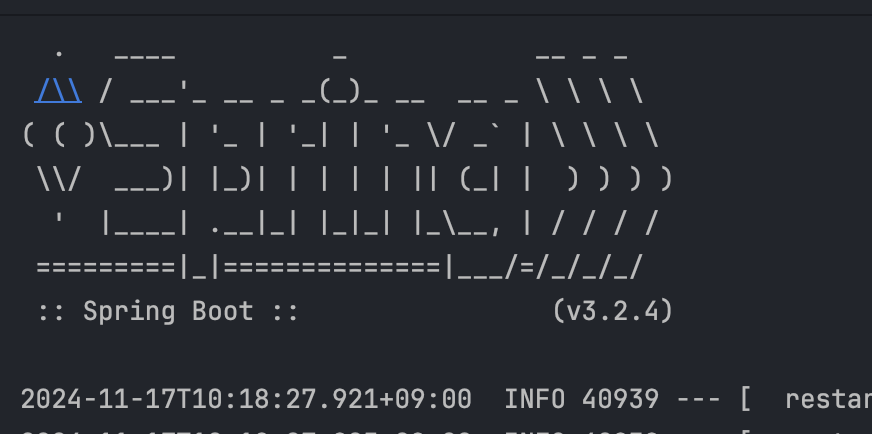
추가 후 실행해보면 서버가 잘 실행되고 기존에 테이블이 없다면 아래와 같이 실행 됨.

쿼리문을 적을 필요없이 jpa가 알아서 다 적어주는거다 (매우 편하다)
끝
에러사항
사실 서버를 다시 실행시키면 Caused by: java.sql.SQLSyntaxErrorException: Table 'parent' already exists
해당 에러가 계속 떴다..
분명 ddl-auto에 update라고 적어줬는데..
서버를 다시 켤때마다 디비를 삭제하고 다시 만들수도 없는 노릇이다.
이런 에러는 처음이라 3시간정도 시름했는데
결론은... 버전에 따른 import가 문제였다.
Hibernate 6.x 부터는 javax.persistence가 아니라 jarkarta.persistence 패키지로 import해주어야한다.
그렇지 않을경우 충돌이 나서 해당 에러가 발생하는 것이다..
import jakarta.persistence.Entity;
import jakarta.persistence.Table;
import jakarta.persistence.Id;
import jakarta.persistence.GeneratedValue;
import jakarta.persistence.GenerationType;
import jakarta.persistence.Column;
import lombok.Getter;
import lombok.Setter;

@Entity
@Table(name = "parent")
@Getter
@Setter
public class Parent {

    @Id
    @GeneratedValue(strategy = GenerationType.IDENTITY)
    @Column(name = "parent_id")
    private Long parentId;
}
'SpringBoot' 카테고리의 다른 글
| 분산 이벤트 스트리밍 플랫폼, Kafka 아는척해보기 (3) | 2025.08.17 |
|---|---|
| Swagger를 사용해서 쉽게 api명세서를 만들어보자! (2) | 2024.12.01 |
| Springboot에서 SMTP(google)를 통해 인증번호를 보내보자! (1) | 2024.11.29 |
| JWT, Redis를 활용하여 RefreshToken을 관리해보자! (0) | 2024.11.27 |
| TypeChange를 통해 Service코드를 간결하게 해보자! (0) | 2024.11.25 |


